
Craft lovers rejoice: Cricut go that bit extra with the bigger, smarter Joy Xtra
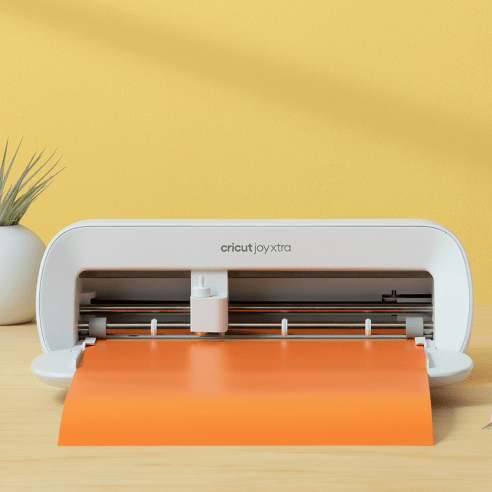
I’ve used a Cricut before and it was quite a bit of fun. It was a Cricut Joy – the smaller machine – and it boasted great precision in creating cool decals of insects and flowers and pretty things like that. I’ve got a ladybug decal on my laptop mousepad that’s been sitting there for two years. In fact, if I’d kept a Cricut on my desktop, I’d probably be 10 times more creative than I am by nature.
As it turns out over the summer holidays I went one better and had a Cricut Joy Xtra machine right next to the desktop – something I could turn to when I wanted to create while everyone else was happy at the beach or at the tennis or playing golf or something. I don’t like 36 degree days much so I tend to make things – records, books, notebooks, music videos. And that creation started with my love for crafts in primary school. Since then – movies, music, reviewing them, the arts, all of it, I’ve been loving creating all my life. So, yes, a Cricut Joy Xtra machine near my desk even during the holiday season, it’s going to get a lot of working out.
When I mucked about with the li’l Cricut Joy, I made some pretty cool decals, mainly stuff you’d decorate your laptop or filing cabinet with. Or your Stanley-or-whatever-its-named giant cup of coffee on the go. My designs looked pretty cool on anything. But this time, on the Joy Xtra (quite blatantly extra, it’s almost twice the size), I wanted to test bigger designs.
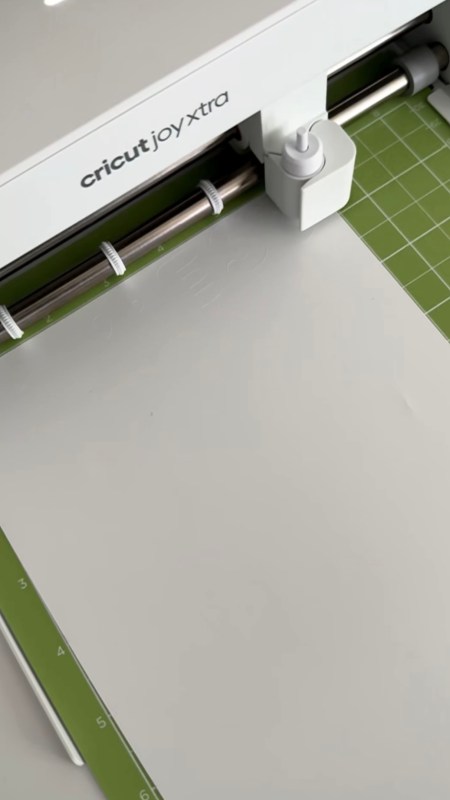
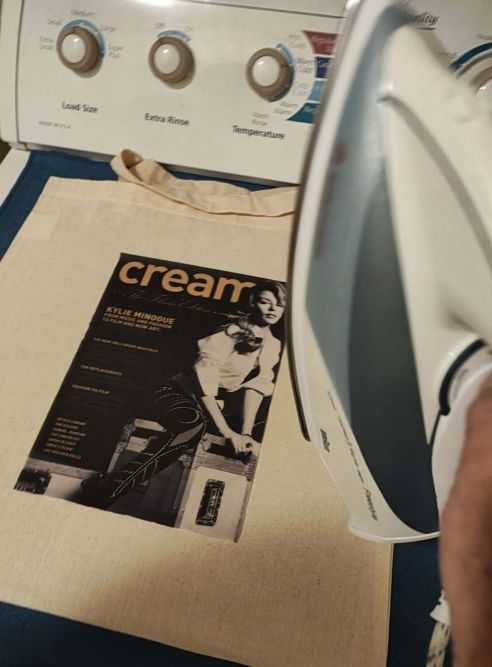
First I wanted to look at t-shirt designing and to see if the transfer quality of Cricut’s ‘Smart Iron-On’ vinyl sheets were of high standard. This wasn’t to be a design about shape but about bold and balanced contrast and precision. So I took the cover of Cream magazine featuring Kylie Minogue in monochrome – looking sharp, serious and spunky as ever and cropped it to suitable size for a tote.
 Could Cricut help reproduce this cool cover onto a calico tote? The short answer, abso-friggin-lutely. The end result (of the transfer paper after being printed on) is almost light-fabric-like in itself. Ironed onto a soft calico canvas, and it’s a stunning piece of practical art.
The Cricut Joy Xtra is actually so clever a cutting machine, it can write and cut a range of materials – from cardstock or vinyl, iron-on or new smart label material – and its lasers operate so quickly, it’s like watching a little symphony being performed on your desktop or dining room table.
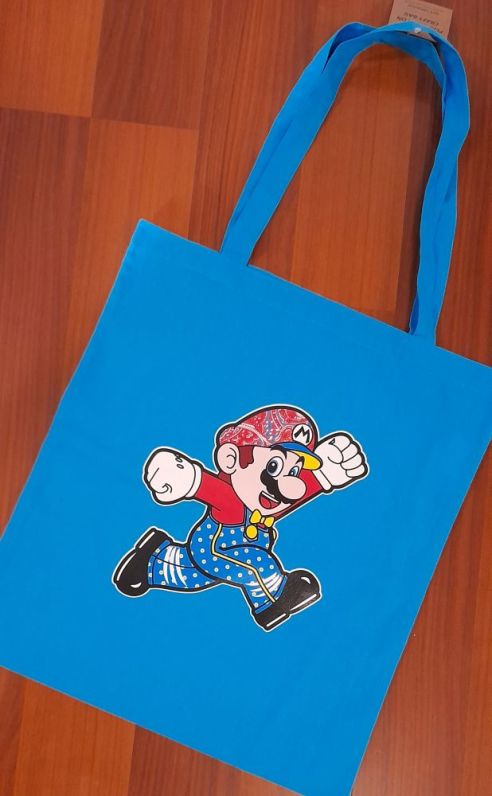
And the machine cuts shapes beautifully, too, of course, like this Mario transfer we whipped up just by sending a vector file through the Cricut and seeing it cut with perfect laser precision. Another fun look on a tote.
Then there are the 3D cards you can make, the labels you can create to spruce up your travel mug or teacup, the invitations that’ll look all lovely and homey rather than Hallmark-bought, and so much more that can come from your imagination.
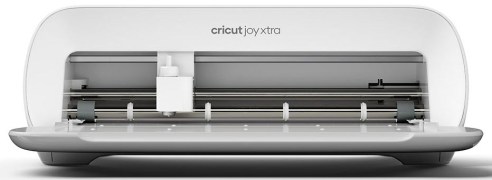
Compact and handsomely minimalist, the Cricut Joy Xtra is a compelling choice for crafters because it blends versatility, ease of use, and portability into a surprisingly powerful little package. Its compact design means it fits comfortably on a small desk or in a craft corner without dominating your space (always make sure you position the machine at least 20cm away from any wall or blocking object).
Even better, this little beauty can cut over 50 materials including vinyl, cardstock, iron-on and printable materials — so you can tackle stickers, cards, labels and more without needing scissors or complex tools.
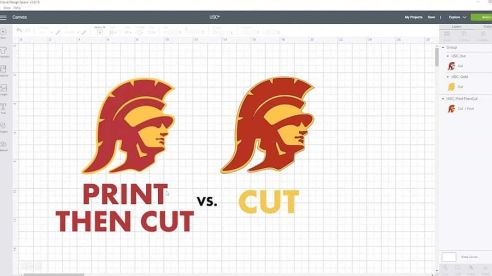
One of its standout features is Print Then Cut functionality, which lets you design and print full-colour graphics on your home printer and then have the Xtra precisely cut them into stickers, decals or tags — a big creative boost compared with basic cutters. It also writes, draws and foils with compatible pens and tools, meaning you can personalise projects with custom lettering or decorative accents in one smart work-flow.
The machine’s Bluetooth connectivity and intuitive companion app (Cricut Design Space) make set-up and project design smooth, even for beginners, with thousands of templates and fonts ready to customise.
And while it’s small and affordable compared with larger cutters, it still handles projects up to A4 size on a mat and up to several feet long on Smart Materials, giving plenty of creative room for everyday makes.
For casual and dedicated makers alike, the balance of features, decent size and creative flexibility make the Cricut Joy Xtra a great option for crafting. Even for busy, busy, busy creatives like me.
 Now, just one more thing – about this machine’s name. Despite the spelling, which leads some to say “cry-cut” or “kree-cut,” the brand confirms it is named after the bug, which is also reflected in their mascot, the ‘Cricut Cutie’.
For pricing and more information, visit cricut.com/en-au.
The designs of Vivienne Westwood and Rei Kawakubo set to take over NGV from December


Interview with Angelica Ross, star of ‘American Horror Story’ and ‘Pose’
Boredom Is Out, Bold Is In: Designers Share How Retro Prints Are Redefining Beach Style
Hunt it down… Stream it! ‘House of Cardin’ recalls the ab fab days of fashion, design and marketing
Discover more from
Subscribe to get the latest posts sent to your email.
